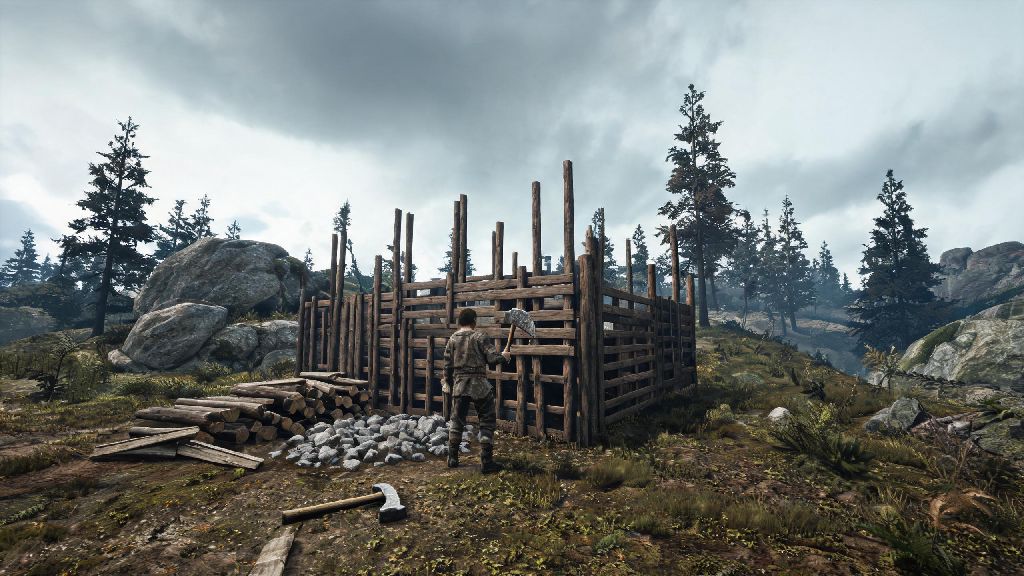
If you’ve spent any time in Rust community forums or Discord servers lately, you’ve probably seen players reminiscing about the early days of the game. No complex electricity grids to wire, no modular cars to repair, no 10-hour grinds just to get a base that can survive a single raid. The original legacy build of Rust was raw, chaotic, and focused entirely on the core survival loop that made the game a viral hit. If you're wondering how to play old Rust without risking your Steam account or downloading malware from sketchy file-sharing sites, this guide walks you through every safe, verified step to access official legacy builds and get playing in under 10 minutes.
Why Players Choose to Play Older Rust Versions
Modern Rust has added dozens of new systems over the past decade, but not all players are happy with the direction the game has taken. Legacy Rust strips away all the complex added features like skill trees, raid alarms, and underwater labs that many casual players find too time-consuming to learn. For returning players who first picked up the game between 2015 and 2018, the legacy build feels like coming home to the simple, unforgiving survival experience they fell in love with.
Many players also prefer the smaller community sizes on legacy servers. Most active legacy servers cap at 50 or 60 players, so you won’t get spawn camped by 10-person zerg groups the second you load into the map. The PvP meta is also far more predictable, with no pay-to-win skins or unbalanced weapon additions that have crept into the modern game over the years.
That said, legacy Rust isn’t for everyone. It doesn’t get official updates or anti-cheat support, so bugs that were fixed years ago are still present, and hackers are a common problem on unmoderated servers. You also won’t find any of the new map biomes or quality-of-life features that make modern Rust more accessible for brand new players.
How to Play Old Rust Using Official Steam Legacy Builds
The biggest mistake many new legacy players make is downloading build files from untrusted third-party sites. These files often come with malware or account-stealing software, and they can get your Steam account permanently banned if you’re caught using modified game files. The good news is Steam keeps all official legacy builds of Rust stored in its backend, so you can access them directly through your Steam library with no extra downloads required.
Follow these simple steps to switch to the legacy build in minutes:
You can switch back to the modern version of Rust at any time by repeating the same steps and selecting "None" from the beta participation dropdown. Steam stores both builds separately if you have enough disk space, so you won’t have to redownload the full game every time you swap between versions. The whole process takes less than a minute once the initial legacy download is complete.
Common Issues You’ll Face Running Legacy Rust (And How to Fix Them)
Even though the official legacy build is safe to use, it was designed for older operating systems and hardware, so you’ll probably run into a few errors on your first launch. The most common issue is the game crashing immediately after you hit play, which happens because legacy Rust doesn’t support modern DirectX 12 by default. To fix launch crashes, add -dx9 to your Rust launch options in Steam properties to force the game to run on DirectX 9, which is fully compatible with all legacy builds.
Next, you might notice no servers show up in the in-game server browser. Valve stopped supporting the legacy server list a few years ago, so you’ll need to use a trusted third-party server browser site to find active legacy servers. Once you find a server you want to join, copy its IP address, open the Steam console, and type "connect [IP address]" to load directly into the server without using the in-game browser.
Another common issue is surprisingly low FPS on modern hardware, which happens because legacy Rust is not optimized for newer multi-core CPUs. You can boost FPS by limiting the game to 2 CPU cores in your task manager after launching, which prevents the game from spreading processes across cores it can’t use efficiently. You can also turn off advanced graphics settings like anti-aliasing and shadow quality to get even higher frame rates, as legacy graphics are already fairly basic by modern standards.
Tips for a Smooth Classic Rust Experience
Now that you’ve got the legacy build running, there are a few small adjustments you can make to get the most out of your playtime. First, only join servers that have active admin teams and public Discord communities. Anti-cheat support for legacy Rust is very limited, so unmoderated servers are often full of hackers who can ruin your playthrough in seconds. Most trusted legacy servers post their wipe schedules and rule sets on their Discord pages, so you’ll always know when the next reset is coming.
Make sure you back up any custom legacy config files you create, as Steam updates will occasionally overwrite your settings when you switch between modern and legacy builds. You can store copies of your config files in a separate folder on your desktop to avoid losing your keybinds or graphics settings every time you swap versions. This only takes a few seconds, and it saves you the hassle of reconfiguring all your settings every time you launch the legacy build.
Don’t go into legacy Rust expecting the same content or progression loop as the modern game. Most legacy servers wipe every 3 to 7 days, so you don’t need to spend 10 hours building a giant base that will last for weeks. The gameplay is far more focused on short-term PvP and small-scale raids, so you can have a fun play session even if you only have an hour or two to spare. The community is also far tighter than the modern Rust player base, so you’ll likely run into the same players repeatedly on popular servers, making it easy to find regular group members to play with.
If you’re tired of the endless grind and complex systems in modern Rust, the legacy version is a perfect way to recapture the simple, chaotic survival experience that made the game famous in the first place. You don’t need any special software or technical skills to get started, and using official Steam builds means you never have to worry about malware or account bans. Whether you're a returning player who hasn't touched the game in 8 years or a new player curious about what Rust used to be like, learning how to play old Rust through official Steam channels is the safest, easiest way to enjoy the classic build without unnecessary risks. Don’t be discouraged if you run into a few small bugs on your first launch – most issues take less than a minute to fix, and the payoff of playing the original version of the game is well worth the small extra effort.