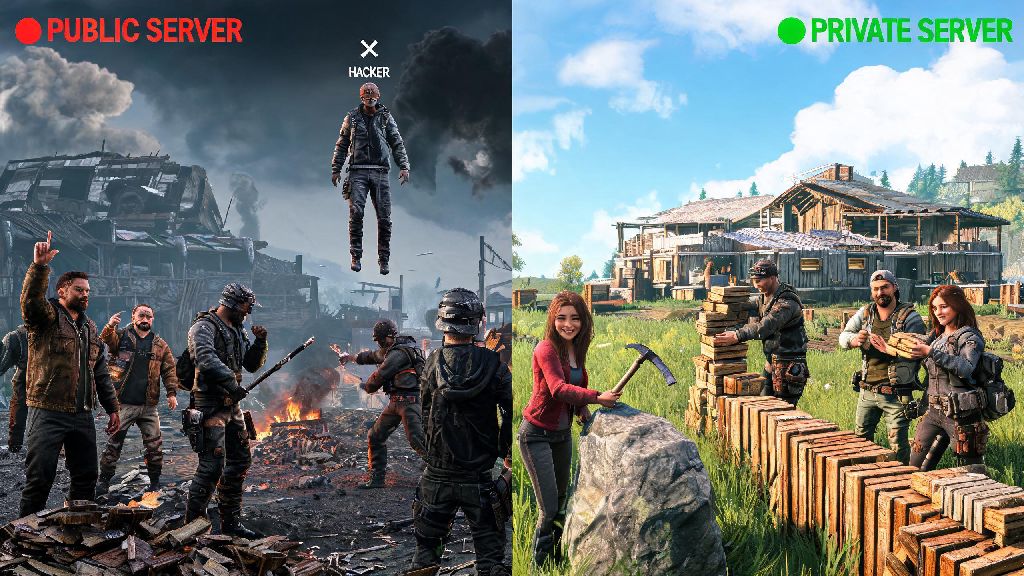
If you’ve spent hours grinding on public Rust servers only to get constantly raided by hackers, griefed by toxic clans hours after you spawn, or stuck with 200ms ping that makes every fight unfair, you’ve probably heard other players talk about paid private servers. If you’re curious how to play premium servers on Rust, you’re in the right place. These servers offer stricter moderation, better performance, custom content, and far fewer cheaters than most public lobbies, but getting set up the first time can feel confusing if you don’t know the right steps. I’ve spent the last three years bouncing between over 40 premium Rust servers, so I’ve put together everything you need to know to skip the common mistakes and jump straight into a great match.
What You Need Before You Learn How to Play Premium Servers on Rust
There are a few non-negotiable pre-requisites you need to have in place before you can access any premium Rust server, and skipping any of these will leave you unable to connect even after you pay for access. You cannot access premium Rust servers with a pirated game copy – almost all premium servers use Steam ID verification to block cheaters and pirated copies, so you’ll need a legitimate, fully updated copy of Rust purchased through Steam to join. Next, you’ll need a valid payment method that the server accepts. Most legitimate servers take PayPal, major credit and debit cards, and some accept popular crypto options, but avoid servers that only accept untraceable payment methods with no clear refund policy. You don’t need to download any extra mods or custom content beforehand, either. Almost all premium servers automatically push required mods, maps, and custom skins to your game when you first connect, so you don’t have to hunt for mod packs online or worry about compatibility issues. When you’re looking for places to find legitimate recommendations, Reddit’s official Rust community and popular Rust content creator Discord servers are great places to start, since most players will post honest reviews of servers they’ve tried.
How to Pick a Legitimate Premium Rust Server That Fits Your Playstyle
The biggest mistake new players make when looking for premium servers is falling for scam servers that take their money and never deliver on promised features, or shut down a week after they pay. Legitimate premium servers will always have public reviews, active community spaces (like Discord servers), and clear lists of features before you pay. Avoid any server that promises "infinite loot" or "invincibility perks" – those are almost always scams, and even if they are real, they ruin the core Rust gameplay loop that makes the game fun. You’ll also want to filter servers based on your preferred playstyle. If you like casual play with friends, look for servers with 2x or 3x gather rates, weekly wipes, and protected PvE zones where you can build without worrying about being raided. If you prefer competitive play, look for vanilla rate servers with bi-daily or daily wipes, and clear anti-cheat policies to keep fights fair. There are a few key red flags you should always watch for when evaluating a premium server:
Step-by-Step Process to Join Your First Premium Rust Server
Once you’ve picked a legitimate server and paid for your access, the process to join is straightforward, but there are a few small steps that can trip you up if you don’t know what to look for. Make sure you enter your correct Steam ID when you sign up for the server – if you enter the wrong ID, you won’t be added to the server’s whitelist, and you’ll have to wait for support to fix the issue, which can take hours or even days on busier servers. After your payment is confirmed, you’ll usually get a server IP address sent to your email or Discord DM, or posted in a dedicated member-only channel on the server’s Discord. Next, open Rust, click on the "Servers" tab, then select the "Favorites" tab. Click "Add Server" and paste the server IP address you received, then save it to your favorites list. Double click the server name to connect, and the game will automatically start downloading any required custom content. This first download can take 2 to 10 minutes depending on your internet speed, so don’t close the game during this process, or you’ll have to restart the download from scratch. If you get a "not whitelisted" error when you try to connect, double check that you entered the right Steam ID when you signed up, and reach out to the server’s moderation team if the issue persists. If you’re still confused about any part of the process, most server owners have step-by-step setup guides posted in their Discord for new members.
Tips to Get the Most Out of Your Premium Rust Server Experience
Paying for premium server access doesn’t automatically mean you’ll have a great experience if you don’t take a few small extra steps. First, read the full server rules as soon as you join. Most premium servers have much stricter rules than public servers – many ban offline raiding, limit clan sizes to 3 or 4 people, or prohibit toxic voice chat, and breaking these rules can get you banned without a refund. Join the server’s official Discord community as soon as you get access – this is where you’ll get wipe announcements, report cheaters, appeal bans, and even find teammates to play with if you don’t have a regular group. Another thing: don’t be afraid to give feedback to the moderation team. Premium servers rely on happy paying players to stay running, so most owners are open to adjusting rules, adding new features, or fixing performance issues if enough players ask for them. I once suggested adding a PvE fishing zone to a casual premium server I played on, and the owner added it within three days, which made the server way more popular for casual players. Never share your payment confirmation or server access details with anyone other than official server moderators – scammers often target new premium server players to steal their access or personal payment info. Also, remember that your premium access is tied to your Steam ID, so don’t share your Steam account with other people, or you risk losing access entirely if they break server rules.
Premium Rust servers are a great option for anyone who’s tired of the chaos and toxicity of public lobbies, and once you know the right steps, getting set up is far easier than most new players think. Whether you’re looking for a casual server to build bases with friends or a competitive lobby to test your PvP skills against fair, well-moderated opponents, there’s a premium server out there that fits your needs. Now that you know how to play premium servers on Rust, you can skip the common scams and mistakes, and jump straight into the kind of Rust gameplay you’ve always wanted. Just remember to do your research before you pay, follow server rules, and don’t be afraid to ask the community for help if you run into any issues during your first few days.