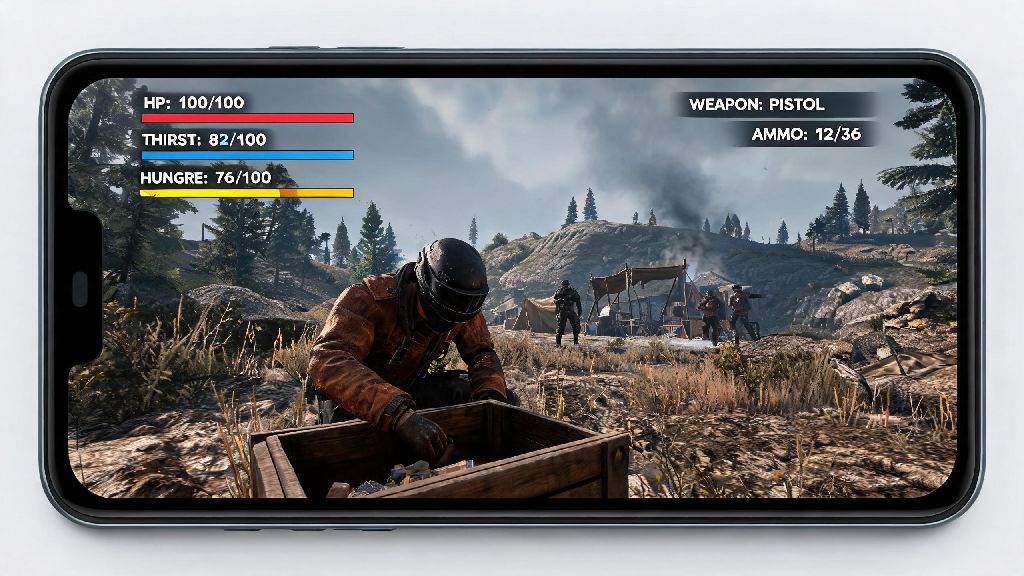
If you’ve ever sunk hours into the desktop version of Rust, you’ve probably daydreamed about looting camps and fending off raiders while waiting for a coffee or on your commute. When I first tested the mobile port last year, I went in assuming it would be a watered down version of the game I love, and I ate so many unexpected deaths my first three sessions I almost uninstalled it. That frustration is exactly why I put together this guide to break down exactly how to play Rust Mobile without the messy trial and error I went through. We’ll cover everything from getting your device set up correctly to mastering the unique mobile controls, so you can hold your own against both AI threats and other real players.
Pre-Game Setup You Need Before You Learn How to Play Rust Mobile
A lot of new players skip this step and jump straight into a server, but 10 minutes of prep will save you hours of frustration later. First, confirm your device meets the minimum device specs to run the game without constant crashes: you’ll need Android 11 or iOS 15, at least 4GB of RAM, and 10GB of free storage. If you have a mid-range device, aim for 6GB of RAM or higher for the most consistent performance.
Next, adjust your in-game settings before you join a server. The default settings are calibrated for high-end flagship phones, so you’ll need to tweak them to fit your device. In-game settings tweaks that make the biggest difference include lowering render distance to 7 or 8 for mid-range phones, turning off shadow effects and anti-aliasing to boost frame rate by 20-30%, and turning on tap-to-loot instead of the default drag-to-loot system. Drag looting on small touchscreens is slow and error-prone, and you’ll lose fights or loot because you fumble with items mid-action.
Close all background apps before you launch the game, too. Rust Mobile is extremely resource-heavy, even on high-end devices, and running social media or streaming apps in the background will cause lag or unexpected crashes mid-session. If you plan to play for more than 45 minutes, keep a power bank handy, since the game drains battery faster than most mobile shooters or open-world titles.
Mastering Rust Mobile’s Unique Control Scheme
The biggest difference between the desktop and mobile versions of Rust is the control scheme, and the default layout is almost unplayable for new players. Spend 10 minutes in the offline practice mode adjusting button sizes, positions, and sensitivity before you join a live server. You won’t get a chance to tweak controls when you’re being chased by a bear or ambushed by another player.
Customize your hotbar to put your most used items within thumb reach of your dominant hand. Your bandages, primary weapon, and building hammer should all be accessible without you having to stretch your thumb across the screen, since every second counts in a fight or when you’re rushing to build cover. Place the crouch and jump buttons close enough together that you can tap both quickly to bunny hop if you need to escape a fight or dodge incoming fire.
The auto-run feature is a lifesaver when you’re traveling across the map to your base, but always turn it off when you’re near contested areas like monuments or popular base building spots. Auto-run limits your reaction time, and you won’t be able to stop or turn fast enough if another player ambushes you from a bush. You can also turn on haptic feedback if you prefer, but most experienced mobile players turn it off, since it drains battery and distracts you from listening for approaching players or animals.
Core Survival Strategies for Rust Mobile New Players
Once you’ve got your settings and controls sorted, it’s time to join a server. Don’t make the mistake I did of running straight for the nearest monument your first spawn. Monuments are full of high-tier loot, but they’re also packed with experienced players who will kill you on sight for the small stack of wood you picked up on your way over.
Your first 10 minutes of gameplay should follow a strict routine: gather 50 wood and 30 stone, craft a stone hatchet and a sleeping bag, then find a quiet spot to set up the sleeping bag so you have a respawn point if you die. Prioritize food and water over loot your first hour of play, too. It’s easy to get caught up in gathering resources for your base, but you can die of dehydration or starvation faster than you can fight off a wolf if you’re not paying attention to your status bars. Always cook meat over a campfire before eating it, too, since raw meat gives you food poisoning that drains your health fast, and you might not notice the debuff on a small screen right away.
There are a few non-negotiable rules I wish I knew my first week playing the mobile port:
If you hear gunshots nearby, don’t go investigate. Hide in a bush or behind a rock until the area is clear. Most mobile players have worse situational awareness than desktop players, so staying quiet and out of sight will keep you alive far longer than trying to be a hero. Claim a low-traffic base spot near a small river when you’re ready to build, so you have easy access to water and won’t have to fight other players for prime real estate right away.
Avoiding Common Rust Mobile Mistakes That Will Get You Killed
Even if you follow all the basic strategy tips, small mistakes specific to the mobile port can cost you all your progress. The first mistake I see new players make all the time is ignoring low battery warnings. I’ve lost three fully geared characters mid-fight because my phone died right as I was about to take down another player, so keep a charger or power bank nearby if you’re playing for extended sessions. If your battery drops below 20%, find a safe spot to log out before your phone dies mid-action.
Adjust your sound settings as soon as you finish setting up your controls, too. Turn up in-game sound effects to 100% and turn off background music completely, so you can hear other players approaching from far away. A lot of new mobile players play with the sound off, and they get ambushed constantly because they can’t hear footsteps or gunfire from nearby players.
Never share your base location with random players you meet in-game, even if they seem friendly and offer to share resources with you. It’s extremely common for players to team up with new people, gain their trust, then come back later with their friends to raid your base when you’re offline. If you want to play with a team, stick to people you know in real life or trusted friends from other Rust servers.
Don’t hoard too many rare items early on, either. If your base gets raided, you’ll lose everything you’ve stored, so use what you have to upgrade your base walls to stone as fast as possible, and only keep what you need for the next 24 hours of gameplay. You should also avoid building your base too close to a monument, even if it seems convenient. Raiders often sweep areas near monuments regularly looking for easy targets to loot, and your small wooden base will be the first one they hit.
Rust Mobile isn’t a perfect port, but it’s still just as tense, rewarding, and chaotic as the desktop version when you know what you’re doing. You don’t need a top-of-the-line phone or thousands of hours of desktop experience to have fun, just a little patience and willingness to learn from your mistakes. Take the time to adjust your settings, practice your controls, and stick to low-pressure areas your first few sessions, and you’ll be well on your way to mastering how to play Rust Mobile. Next time you’ve got 30 minutes to kill, you won’t have to wait to get home to jump into your favorite survival game.