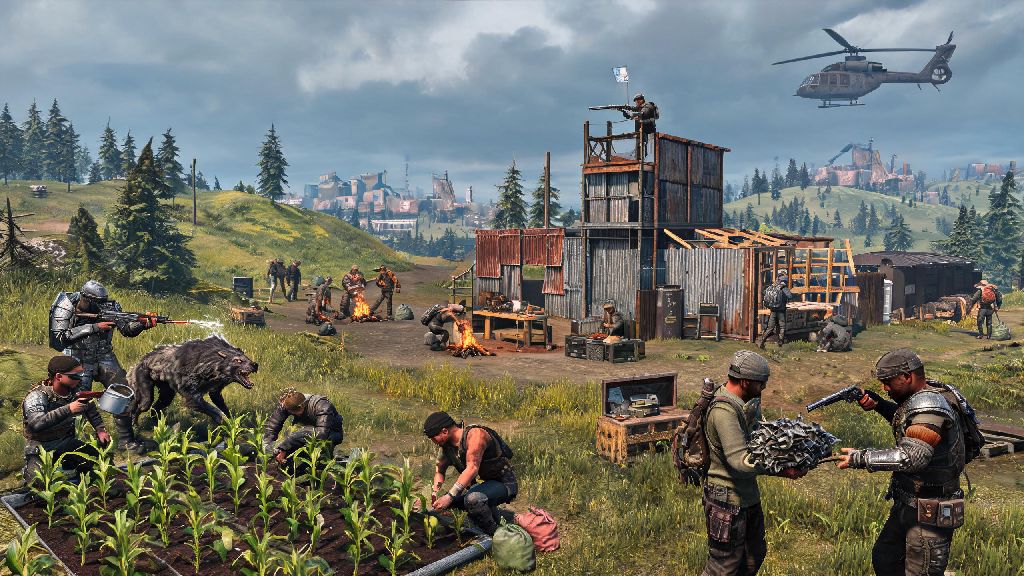
If you’ve spent any time on official Rust servers in 2026, you’ve probably dealt with the usual frustrations: getting spawn-killed by players with thousands of hours of practice, losing hours of farming progress to a random raid 10 minutes after you log off, or dealing with toxic players that no official mod ever gets around to banning. It’s no surprise so many players ask can you play rust on a private server to avoid all those headaches. The short answer is yes, and private servers have become one of the most popular ways to play Rust in 2026, with thousands of active options for every playstyle, from casual building groups to hardcore competitive clans. We’re breaking down everything you need to know to join or host a private server, no advanced technical skills required.
What Exactly Counts as a Rust Private Server in 2026?
Private Rust servers are any server not directly hosted and managed by Facepunch Studios, Rust’s development team. They’re run by independent users, communities, or small hosting companies, and can be customized to fit almost any rule set you can imagine. Some are small, whitelisted servers for just 5 to 10 friends, while others are public 100+ player servers with custom mods and regular community events.
Private servers are not against Rust's Terms of Service as of 2026, so you won’t get your Steam account banned for playing on one, as long as the server doesn’t use mods that let you carry over cheats or unfair progress to official servers. The only restriction is that you can’t transfer items, base progress, or account ranks between official and private servers, since each server operates independently with its own save files.
You’ll see two main types of private servers in 2026: vanilla servers that use the same base game rules as official servers, just with adjusted wipe schedules or player limits, and modded servers that add custom items, game modes, or rule changes like no PvP, faster farming, or zombie survival twists. Both are valid options, depending on what you’re looking for out of your gameplay.
Can You Play Rust on a Private Server With Any Game License?
You can join almost any private Rust server as long as you have a legitimate, non-banned copy of Rust on Steam, but there are a few basic requirements you need to meet first, depending on whether you’re joining an existing server or hosting your own. These requirements are consistent across almost all servers in 2026:
Pirated copies of Rust won’t work on 99% of private servers, since almost all servers use Steam’s authentication system to block unlicensed copies and ban cheaters. You don't need to pay extra to join most private servers, though some larger servers offer optional paid cosmetic ranks, early access to new wipes, or extra in-game perks that don’t give players a competitive advantage. Avoid any server that sells pay-to-win items like better weapons or extra loot, as these usually have very toxic or unbalanced gameplay.
Hosting your own server is only recommended if you have experience with port forwarding and server maintenance, otherwise you’ll run into issues with other players being unable to connect, or frequent crashes that wipe all your progress. Most casual players choose to rent a pre-configured server from a trusted hosting provider for $10 to $30 a month, depending on how many player slots you need.
Key Benefits of Playing Rust on a Private Server in 2026
The biggest draw of private servers is full control over your gameplay experience, which you’ll never get on official servers. For example, if you only play Rust to build elaborate bases with your friends and hate PvP entirely, you can join or host a server with PvP turned off completely, so no one can raid your base or attack you while you’re farming. If you don’t have 20 hours a week to play, you can pick a server with a 2-week or monthly wipe schedule, instead of the official 1-week wipe that makes all your progress disappear every 7 days.
Many private servers run themed events in 2026, like post-apocalyptic roleplay, zombie survival, or even building contests with real cash prizes, which add a lot of variety you won’t find on generic official servers. I joined a small roleplay server last month with a group of friends, and we spent 3 weeks running a in-game trading post for other players, no raiding or PvP required, which was way more fun than the usual grind on official servers.
Private servers also have much faster moderation than official servers. If a player is being toxic, cheating, or harassing other players, you can message an admin directly and they’ll usually ban the problem player within a few minutes, instead of waiting days for official support to respond to a ticket. The only real downside is that smaller private servers can shut down without warning if the owner stops paying for hosting, so you might lose all your progress unexpectedly if you pick an unstable server.
Step-by-Step to Join a Private Rust Server in 2026
Joining a private server takes less than 5 minutes for most players, even if you’ve only ever played on official servers before. First, open Rust through your Steam library and make sure you’ve installed the latest 2026 patch, because you won’t be able to join servers running the current version if your game is out of date. Once you’re on the main menu, click the “Play Game” button, then select the “Servers” tab at the top of the screen.
You can use the filter options on the left side of the screen to narrow down your options: you can filter by player count, ping, modded vs vanilla, wipe schedule, and even specific game modes like roleplay or build-only. If you’re looking for a specific server a friend invited you to, you can type the server name or IP address directly into the search bar to pull it up immediately.
Always check the server description before joining to make sure you understand the rules, mod list, and wipe schedule. It’s really frustrating to join a server thinking it’s a casual build server, only to find out it’s a hardcore PvP server with 10x loot and daily wipes. Once you’ve found a server you want to try, just click the “Join” button, wait for any required mods to download, and you’ll spawn into the server like normal.
If you run into connection issues, the most common fix is to verify your Rust game files through Steam, or restart your router to fix any IP conflicts. If you still can’t connect, reach out to the server admin through their community Discord, most have a help channel for new players dealing with join issues.
At the end of the day, if you’ve been asking can you play rust on a private server, the answer is a resounding yes, and it’s one of the best ways to make Rust fit your exact playstyle in 2026. You don’t have to put up with the frustrations of official servers if you don’t want to, whether you’re looking for a casual space to build with friends, a competitive clan server to practice PvP, or a weird themed roleplay server to mess around in. If you’re new to private servers, start with a small lightly modded vanilla server first to get used to the format, then branch out to more custom options once you know what you like.