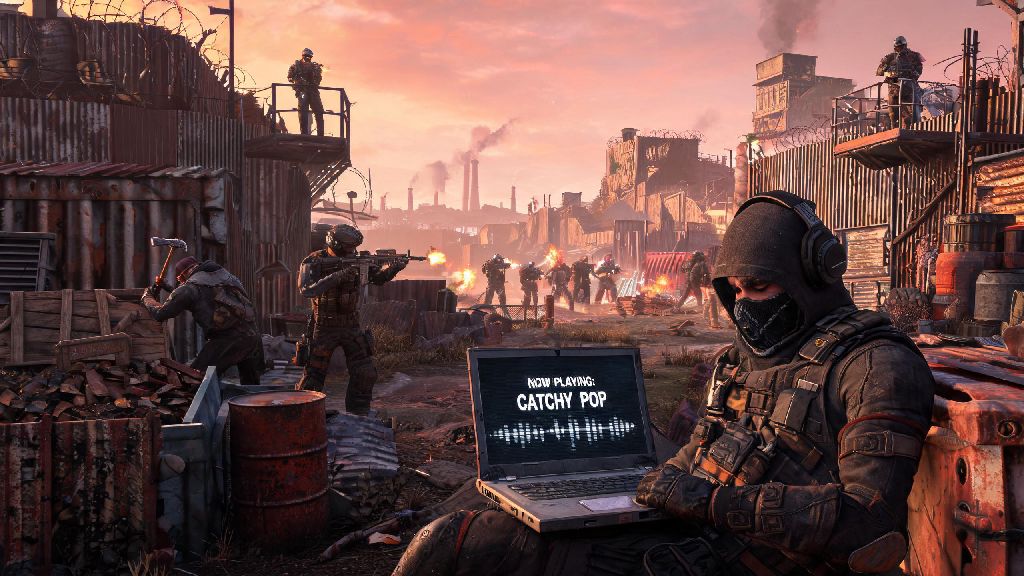
If you’ve ever wandered through a Rust server and heard a weirdly catchy pop song blaring from a neighbor’s base, or wanted to blast your favorite battle playlist while you fend off raiders, you’ve probably wondered how to pull that trick off yourself. Learning how to play custom music in Rust isn’t just a fun gimmick—it can make long base grinds feel less tedious, add extra immersion to roleplay servers, or even give you a silly way to troll people trying to camp your airlock. I’ve messed around with this trick on both vanilla and modded servers for years, and I’ve narrowed down the easiest, lowest-risk ways to do it without getting banned or wasting hours troubleshooting wonky audio setups. This guide will walk you through every step, from picking the right tools to following server rules so you can start playing your favorite tracks in no time.
What You Need Before You Set Up Custom Music in Rust
You don’t need expensive gear or paid software to play custom audio over Rust’s voice chat, but there are a few key items you should sort out first to avoid frustration later. Skipping these steps can lead to distorted audio, accidental broadcasts of private conversations, or even a temporary mute from server moderators. I always run through this quick checklist before I test a new setup on a public server.
You’ll also want to make sure you have compatible audio input tools that work with your operating system. Most free virtual audio cable programs work on both Windows and Mac, but you should double check user reviews to make sure you don’t download bloatware. It’s also smart to stick to royalty-free tracks or your own original music if you’re unsure about server rules, since copyrighted music can get you muted or banned if the server records voice chat for moderation purposes.
Step-by-Step Setup for Playing Custom Music in Rust
The easiest way to play custom music for nearby players is to hold a microphone up to a speaker, but that method leads to terrible audio quality and will annoy everyone you live with. The better, more reliable method uses free virtual audio cable software to route your audio directly to Rust’s voice chat without needing a physical mic or speaker. The whole process takes less than 10 minutes if you follow these steps closely.
First, download and install a trusted free virtual audio cable program on your computer. Follow the default setup prompts, then restart your device to make sure the software is recognized by your operating system. Next, open your system audio settings and set the virtual audio cable as your default input device. Then open your chosen music player, go to its audio output settings, and set it to output audio to the virtual audio cable instead of your headset or speakers.
Once your system settings are sorted, open Rust and go to the audio settings menu. Set your voice input device to the virtual audio cable, then adjust your input gain to around 70% to start. I always recommend using push to talk is almost always better instead of voice activation for custom music, so you don’t accidentally broadcast random system sounds or private conversations to everyone nearby. Test your setup on an empty private server first to make sure the volume is clear and not distorted— I once set my input gain too high and made three different players crash from audio distortion on a public server, so it’s worth taking 30 seconds to test first.
Common Troubleshooting Tips for Custom Rust Audio
Even if you follow every step perfectly, you might run into small issues the first time you try to play custom music. Most of these problems are easy to fix in less than a minute, once you know what to look for. I’ve run into every one of these issues at least once, so I’ve got quick fixes for all of them.
If no one can hear your music, first double check that you set the virtual audio cable as your input device in both your system settings and Rust’s audio menu. It’s really easy to accidentally select the wrong device when you’re rushing through setup. If that’s not the issue, check if the server has a new player mute period, or if voice chat is disabled in the area you’re standing in—most safe zones like the Outpost or Bandit Camp disable voice chat entirely to prevent spam.
If your audio is distorted or tinny, turn down the output volume on your music player first before you adjust Rust’s input gain. Avoid using audio equalizer presets that boost bass too much, since that will almost always cause clipping that sounds terrible over in-game voice chat. If you can’t hear other players when you have the virtual audio cable enabled, that means you accidentally set your output device to the virtual cable instead of your headset—just switch that back in your system audio settings and you’ll be good to go.
Rules to Follow When Playing Custom Music in Rust
Playing custom music can be a lot of fun, but it’s important to follow server rules and basic etiquette so you don’t ruin the experience for other players. Server moderators are usually pretty lenient about harmless music, but there are a few hard lines that will get you banned fast if you cross them. I’ve seen people lose hundreds of hours of base progress over a silly meme song, so it’s worth following these simple rules.
First, don’t blast music in shared public areas like safe zones, monument parking lots, or popular farming spots. Most players go to these areas to grind scrap or trade, and no one wants to listen to your playlist while they’re trying to get work done. If you’re playing music on your own base land, keep the volume low enough that it doesn’t carry to neighboring bases unless you have explicit permission from the players around you.
Never use loud, jarring audio to troll new players or try to crash people’s games. Earrape sounds, jump scares, or constant spam of loud noises are against the rules on 99% of public servers, and you’ll almost always get a permanent ban if you’re caught doing it. If you’re on a roleplay server, make sure your music fits the setting too—playing modern pop in a medieval roleplay server will break immersion and get you reported by other roleplayers very quickly. If someone asks you to turn your music off, just do it, it’s not worth getting banned over a disagreement about taste in music.
Playing custom tracks in your Rust base or during roleplay sessions is a small touch that can make your time in the game feel way more personal, as long as you follow the rules and set everything up correctly. You don’t need fancy equipment or expensive software to pull it off—most people can get it working in 10 minutes or less with free virtual audio tools. Now that you know how to play custom music in Rust, you can test out different playlists for base defense, farming runs, or roleplay events without worrying about common mistakes that get new players in trouble. Just remember to be respectful of other players, and you’ll have a blast adding your own soundtrack to your Rust adventures.