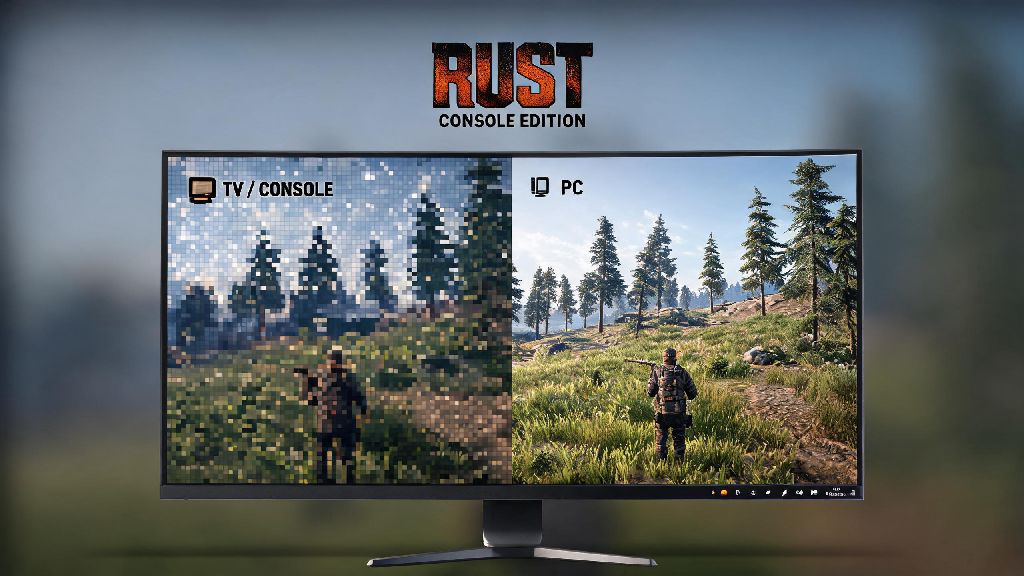
If you’re a long-time Rust Console fan who’s tired of squinting at a small TV screen, or your console is always tied up by another household member, you’ve probably wondered how to play Rust Console on PC without shelling out for a separate PC copy of the game. I’ve tested every popular method for doing this over the past two years, from random emulators posted on gaming forums to official first-party tools, and most of the free hacks you’ll find online are either broken, risky, or both. This guide only covers legitimate, low-risk methods that won’t get your Rust account banned or expose your PC to malware, so you can jump straight into gameplay without extra headaches.
How to Play Rust Console on PC: 2 Legitimate, No-Ban Methods
There are only two official, Facepunch-approved ways to run Rust Console Edition on your PC, and both require you to own a valid copy of the game linked to your console account. Neither method requires you to download large game files to your PC, so you won’t waste hours waiting for installs before you can play.
The first method is Xbox Cloud Gaming, available to anyone with an active Xbox Game Pass Ultimate subscription. You can access the service directly through your web browser, log into your Xbox account, and launch Rust Console Edition in seconds. All processing runs on Microsoft’s servers, so you don’t need a high-end gaming PC to run the game at 1080p 60fps. The second method is remote play, which works for both PlayStation and Xbox owners. You’ll install the official remote play app for your console brand on your PC, connect to your console over your home internet, and stream the game directly from your console to your PC screen.
Before you try either method, make sure you have all the following prerequisites covered to avoid unnecessary issues:
Never use unlicensed emulators that ask you to download cracked game files, no matter how many good reviews they claim to have. I’ve tried three of these popular emulators from Reddit, and every single one either crashed mid-game, served me nonstop malware pop-ups, or tried to steal my console account login details. The risk is never worth the small cost savings.
How to Optimize Your Setup for Smooth Rust Console PC Play
Even if you use the official methods, you might run into lag or frame drops if your setup isn’t optimized for streaming. The good news is most fixes take less than two minutes to implement, and you won’t have to download any extra software to make them work.
First, switch to a wired ethernet connection if you can. Wi-Fi is prone to random signal drops, which will lead to lag spikes right when you’re in the middle of a PvP fight or defending your base from a raid. If you can’t use a wired connection, sit as close to your router as possible, and disconnect other devices from your Wi-Fi while you play. Close all background apps that use bandwidth like Netflix, TikTok, cloud backup tools, or torrent clients before you launch the game. I’ve seen these apps eat up 50% or more of a person’s bandwidth without them realizing, leading to unplayable lag.
Next, adjust your stream quality settings to match your internet speed, instead of forcing the highest possible resolution. Adjust your stream quality to match your internet speed instead of forcing 4K if your connection can’t handle it, you’ll have way fewer dropped frames. Most cloud gaming and remote play apps will auto-adjust quality for you, but you can manually lower it to 720p if you’re still having lag issues. You can also adjust your controller sensitivity in the game’s settings to match what you use on your physical console, so you don’t have to re-learn muscle memory when you switch devices.
Common Issues to Avoid When Playing Rust Console on PC
Most people who run into problems playing Rust Console on PC make the same easily avoidable mistakes, and fixing them will save you hours of troubleshooting. The most common mistake people make is trying to use input spoofing tools to play with mouse and keyboard in controller-only lobbies.
Any modification that gives you an unfair advantage will result in a permanent account ban, no exceptions. Facepunch actively flags accounts that use input spoofing, and bans are non-negotiable, even if you only used the tool once. If you want to play with mouse and keyboard, you can enable native M&K support in the game’s settings, but you’ll be matched with other M&K players to keep lobbies fair.
Another common issue is failed remote play connections, which are almost always caused by out-of-date console firmware. Always make sure your console is updated to the latest firmware before using remote play, that fixes 90% of connection issues people report. You should also make sure your console is set to stay on in rest mode, so you can connect to it even if you’re not physically in the same room as it.
Many people also worry about losing progress when they switch between console and PC play. That’s not a risk if you use official methods, because all your progress is saved to your console account, not your local device. I switch between my Xbox and my laptop for Rust play at least twice a week, and I’ve never lost any of my base progress or in-game items.
Is Playing Rust Console on PC Worth It for You?
Playing Rust Console on PC is a great fit for some players, but it’s not the right choice for everyone, and it’s important to know the tradeoffs before you invest time setting it up. It’s perfect if you mostly play on console but want to play occasionally on a bigger screen, or if your console is always being used by other people in your house. It’s also a great option if you travel a lot, since you can log into your account from any PC and pick up right where you left off.
If you already have Game Pass Ultimate, cloud gaming is the cheapest, easiest option, since you don’t need to own a console at all to play. The subscription already includes access to Rust Console Edition, so you won’t have to pay anything extra to play on your PC.
That said, it’s not a good replacement for the native PC version of Rust if you’re a serious player. The native PC version has lower input lag, support for mods, and larger server pools. You’ll also have to deal with slightly higher input lag when streaming, which can put you at a disadvantage in competitive PvP fights. If you play Rust for more than 10 hours a week, you’ll probably want to buy the native PC version eventually. But for casual players who mostly stick to console, these streaming methods work perfectly.
You don’t have to be a tech expert to figure out how to play Rust Console on PC, and you definitely don’t have to risk your account or your PC’s security to do it. Stick to the official methods we outlined, follow the optimization tips, and you’ll be able to play all your existing Rust save files on your PC in less than 10 minutes. If you run into issues, start with the basic troubleshooting steps we shared, and you’ll be back to looting, building, and defending your base in no time.