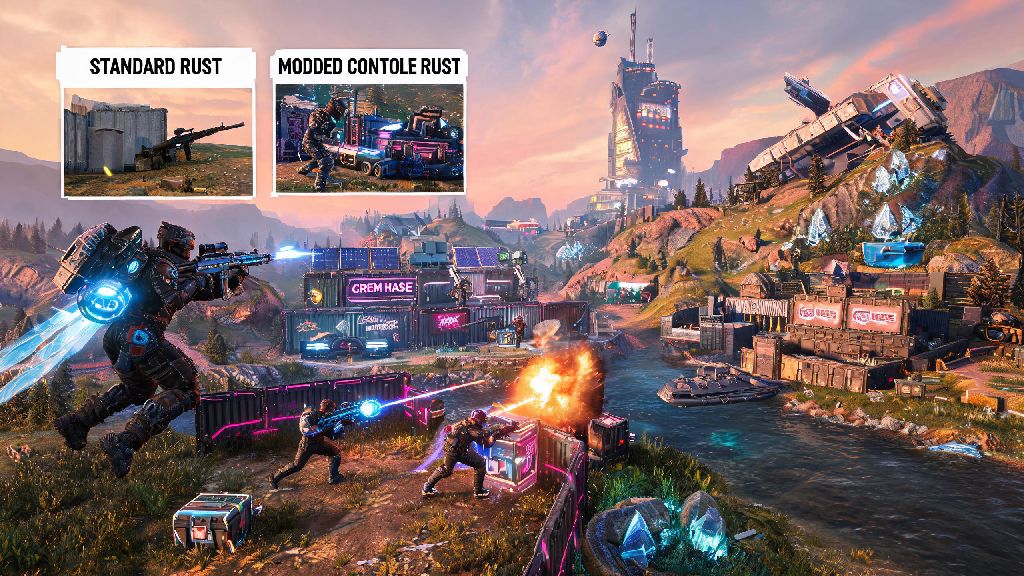
If you’ve spent weeks grinding vanilla Rust Console only to feel like you’ve seen every base design, PvP scenario, and loot spawn the game has to offer, you’re probably curious about how to play modded servers on Rust Console. Modded servers completely change the core gameplay loop, with everything from 10x gather rates and custom weapons to RPG-style quest systems and themed maps that feel nothing like the standard Rust experience. Best of all, getting access to these servers is far simpler than most new players assume, even if you’ve never adjusted your console’s network or game settings outside of default.
How to Play Modded Servers on Rust Console: Initial Setup Steps
The first thing you need to know is that you don’t have to modify or jailbreak your console to access official modded servers. All supported modded content is hosted directly through Facepunch’s approved server network, so you only need your standard Rust Console game copy and an active internet connection to get started. First, make sure your game is updated to the latest available patch, as modded servers almost always run on the most recent version to avoid compatibility issues.
Once your game is updated, launch Rust Console and head to the main menu. Select “Play Game” then navigate to the server browser tab. Look for the filter menu on the top of the screen, and toggle the “Modded” option on to hide vanilla official and community servers from your results. You can refine results further by ping, player count, and server type to narrow down options that fit your preferences. When you find a server you want to join, just click select and the game will automatically download any required mod files for you before loading in.
What to Look For When Choosing a Modded Server
If you’re new to how to play modded servers on Rust Console, you might not realize that server population limits can vary wildly from 10 slots to 200+ slots depending on the host. The type of modded server you pick will completely shape your experience, so it’s worth taking 5 minutes to review server details before joining. Popular mod types include high-gather servers that cut down grind time, PvE servers that disable player vs player damage for more relaxed play, and roleplay servers with custom jobs and storylines.
Many popular servers run at near-full capacity during peak hours, so if you find a server you love, you might want to look into their reserved slot options to avoid waiting in long queues. For example, some popular modded server networks use Ind Slots to manage reserved access for their most active community members, so you can skip the line even when the server is at full capacity. Before you commit to a server, take note of these key factors:
You don’t have to stick to the first server you join. Most players test 3-5 different servers before finding one that fits their playstyle, so don’t feel pressured to stay on a server if you don’t enjoy the mod set or community.
Fixing Common Modded Server Connection Issues
Even if you follow all setup steps correctly, you might run into small issues when joining modded servers for the first time. The most common error is a “content mismatch” pop-up that appears when you try to join a server. This just means the server is running custom mod files you don’t have stored on your console, and the game will automatically download them if you wait 30-60 seconds instead of canceling the load process.
If you can’t see any modded servers in your browser at all, double check that you have the modded filter toggled on, and that your console’s system software is updated to the latest version. Some older console system builds block custom game content by default, so a quick system update often fixes the issue. Never install third-party mod files from untrusted sources, all official console modded server content is downloaded directly through the game client, so any external files asking for mod access are scams that can get your account banned.
If you keep getting kicked mid-session, check your internet connection first. Modded servers use more bandwidth than vanilla servers because of custom assets, so a spotty Wi-Fi connection can cause frequent drops. If you play on a shared network, enabling UPnP on your router can also fix connection issues, as many modded servers use custom ports that default router settings block.
Tips for Your First Time on a Modded Rust Console Server
If you’re used to vanilla Rust, modded servers will feel very different at first, so don’t jump straight into a high-pop 10x PvP server for your first run. Start with a low-pop 2x or PvE server to get used to custom items, commands, and gameplay rules before you try more competitive modded modes. Most modded servers have custom chat commands you can use to access extra features, so read the welcome message that pops up when you join for a full list of available commands.
Always back up your custom keybinds before joining a new modded server, some larger mod packs can overwrite your default control settings without warning, so you don’t have to waste 10 minutes rebinding everything mid-session. If you’re playing with friends, make sure all of you have the same game update installed before you try to join the same server, even a small patch difference can cause content mismatch errors that prevent you from playing together.
Don’t be afraid to ask other players for help if you’re confused about a custom mod or server rule. Most modded server communities are friendly to new players, and many regulars will even give you starter gear to help you get set up faster. You can also join the server’s official community group to get alerts about special events, wipe schedule changes, and temporary mod updates.
Once you get the hang of how to play modded servers on Rust Console, you’ll find a nearly endless supply of new gameplay experiences that keep the game feeling fresh for years, no matter how many hours you’ve put into vanilla. Take the time to test a few different server types to find what fits your playstyle, and don’t be afraid to experiment with weird, niche mod packs you wouldn’t have tried otherwise. Before you know it, you’ll be building bigger bases, fighting tougher custom enemies, and having way more fun than you ever did on official vanilla servers.