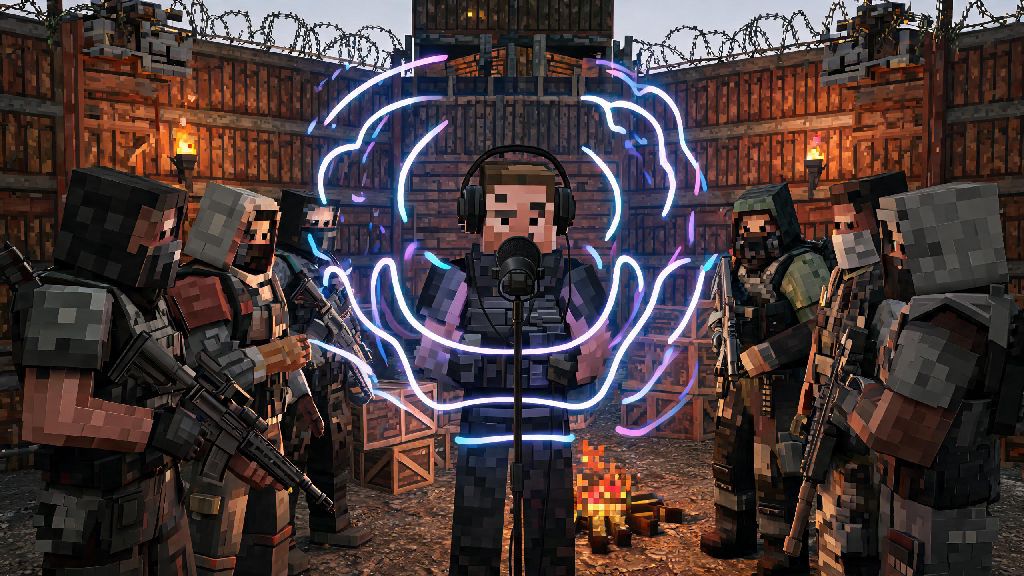
If you’ve ever wandered through a Rust outpost and heard someone blast lo-fi beats through their mic, or wanted to troll your squad during a long grind for metal fragments, you’ve probably wondered how to play music through mic in Rust without annoying every player within a 100-meter radius. I’ve used this trick for years to make late-night base building sessions with my squad way less boring, and I’ve only gotten kicked from a server once (my bad, I accidentally played a way too loud meme clip during a silent raid). It’s a silly, fun trick that can turn boring grinds into a party, or even defuse tense standoffs with random players if you pick the right song. You don’t need fancy equipment to pull it off either—most methods work with the default audio setup you already use for gaming.
What You Need Before You Learn How to Play Music Through Mic in Rust
First, you don’t need to buy any paid software to pull this off, but you do need to check a few boxes to avoid common issues. Rushing through setup is the number one reason people end up with distorted audio or get muted by server admins for spamming static. Make sure you have all of the following sorted before you try any setup method:
That last point is non-negotiable for public servers. Open mic with constant music will get you kicked faster than you can finish the first verse of your favorite song, so always use push-to-talk when you’re playing on public lobbies. You can adjust your push-to-talk key to something easy to reach, like a side mouse button, so you can trigger music clips without fumbling around mid-fight. Even on private servers, it’s a good habit to keep, so you don’t accidentally blast music when your squad is trying to listen for enemy footsteps nearby.
The Simplest Free Method to Play Music Through Your Rust Mic
If you’re not looking to spend any money, VoiceMeeter Banana is the best option for most players. It’s a free virtual audio mixer that lets you route your system audio to your mic input without any complicated coding. You just need to download it, set your system audio output to VoiceMeeter, then set VoiceMeeter as your default mic input in Steam. That means any audio playing on your PC, from Spotify tracks to downloaded meme sound clips, will be picked up by your Rust mic when you press your push-to-talk key. When you’re setting up how to play music through mic in Rust, it’s a good idea to start with this free method first if you’re just testing things out.
But you do need to adjust the audio levels first, otherwise your music will be too loud or too quiet for other players to hear clearly. Test your levels in a private server first before you try this on a public lobby, because distorted, overly loud music is one of the most common reasons players get reported to server admins. One small downside to this method is that you might hear a slight echo on your own audio if you don’t adjust your monitoring settings properly, but you can fix that by turning off the VoiceMeeter output to your headphones once you’re done testing levels. If you only plan to use this trick every once in a while, this method is more than enough, and it works with every other game too, not just Rust.
Paid Alternatives for More Control Over Your In-Game Audio
If you play Rust regularly and want more control over your audio clips, paid tools like Soundpad are well worth the small one-time cost. It costs around $5 on Steam, and it’s regularly on sale for less than $3 during holiday sales. Unlike free virtual mixer tools, Soundpad lets you upload specific audio clips directly to the app, assign custom hotkeys to each one, and adjust the volume of individual clips without messing with your system audio levels. That means you can have a dedicated hotkey for a quiet lo-fi playlist for base building, and another for a loud meme clip to play when you successfully raid an enemy base.
Soundpad also lets you record audio directly from in-game, so you can save funny voice lines from your squad and play them back later for laughs. It also doesn’t interfere with other audio apps running in the background, like Discord, which is a common issue with free virtual mixer tools. I switched to Soundpad a couple years ago, and I’ve never had issues with audio routing or echo since. The only real downside is the small cost, but if you mess around with in-game audio often, it pays for itself pretty quickly. It’s also super popular with Rust content creators, since you can trigger clips without tabbing out of the game mid-stream.
Important Rules to Follow to Avoid Getting Kicked From Servers
As fun as playing music through your mic can be, it can also get you banned if you don’t follow basic server etiquette. First, always check the server’s rule page before you play any audio through your mic. A lot of PvP-focused servers ban any non-communication audio entirely, because it can make it hard for players to hear footsteps or enemy movement. Even on casual servers, avoid playing music during active raids or PvP fights, because other players will see it as an attempt to cheat by blocking their audio cues.
Never play loud, distorted, or offensive audio through your mic, that’s a surefire way to get permanently banned from most servers, even private ones if your friends get annoyed enough. If you’re around random players, ask if they mind you playing music first, and stop immediately if someone asks you to. If you stream your Rust gameplay, avoid playing copyrighted music through your mic, because that can get your stream taken down by DMCA claims even if you’re not playing it directly through your stream software. I’ve seen way too many players get banned for spamming loud music right after a server wipe, when everyone is just trying to build their first base and focus on grinding resources. It’s not worth losing access to a server you like just for a 10-second joke clip.
At the end of the day, learning how to play music through mic in Rust is all about adding a little extra fun to your gameplay sessions. Whether you’re using a free tool to play lo-fi while you grind with your squad, or a paid app to trigger meme clips during raids, the setup process is way simpler than most people think. Just remember to test your levels first, follow server rules, and be respectful of other players around you, and you’ll be able to pull off the trick without any issues. It’s the small, silly moments like jamming to your favorite song with random strangers in an outpost that make Rust such a unique game, after all.